
Why Information Security Policy Prevents Business Disruption – Insights from a Providence IT services provider
Providence, United States - August 12, 2026 / Jumpfactor Inc. /
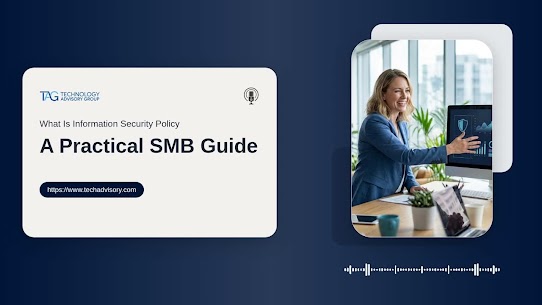
Providence IT Services Provider Explains Information Security Policy Benefits
PROVIDENCE, R.I., August 12, 2026 — Technology Advisory Group, an IT services provider serving businesses in Providence, has released a new guide explaining how information security policies can help organizations improve operational consistency, strengthen cybersecurity, support compliance readiness, and establish clearer accountability across daily business processes.
SMBs run on shared files, cloud apps, remote access, vendor portals, customer records, invoices, and employee devices, yet 80% of small businesses still do not have formal cybersecurity policies guiding those decisions.
An information security policy gives leaders a repeatable way to define what data must be protected, who approves access, how incidents are reported, and what changes when roles, systems, or workflows shift.
If you have searched for an information security policy or downloaded an information security policy template, the real goal is not paperwork. It is operational consistency, client trust, compliance readiness, and fewer recurring IT issues over time.
Jason Harlam, Business Development Manager at Technology Advisory Group, notes: "Security policies work when they match how people actually use systems, approve work, and serve customers."
In this article, an expert Providence IT service provider explains how to build practical security rules your team can follow without slowing work.
What An Information Security Policy Means For A Growing Business
As your business adds employees, systems, customer data, vendors, and approval layers, informal habits stop scaling. Only 36% of businesses reported having formal cyber security policies in place, showing how often growth outpaces governance.
A clear policy turns scattered decisions into rules your managers, staff, and IT team can follow when a new employee needs payroll access, a vendor requests a portal login, or a department head asks for shared-folder permissions.
Who must follow it: Employees, managers, executives, contractors, and vendors with access to systems or data.
What it governs: Passwords, access, email, devices, cloud tools, backups, incident reporting, and acceptable use.
Why operations improve: Fewer unclear decisions, faster onboarding, better audit readiness, and clearer accountability.
What it is not: It is not a compliance binder, and it does not replace training, monitoring, or leadership enforcement.
| Growth trigger | Operational risk if no formal rule exists | Policy decision to define | Typical owner or approver |
|---|---|---|---|
| Hiring remote sales staff using laptops, CRM, and Microsoft 365 | Former employees retain mailbox or Salesforce access after leaving | Account creation, MFA setup, device enrollment, and same-day offboarding checklist | HR Manager initiates; IT Administrator completes; Sales Director approves access level |
| Adding a finance vendor for payroll or invoice processing | Bank details or employee tax data are shared through unsecured email attachments | Approved file-transfer method, vendor access review frequency, and data-sharing limits | Finance Controller approves; Operations Manager maintains vendor register |
| Moving customer records into cloud platforms such as HubSpot or Zendesk | Support agents export full customer lists without a business need | Role-based permissions, export restrictions, and manager approval for bulk downloads | Customer Support Lead requests; IT Security Lead configures; Data Protection Officer reviews |
| Opening a second office or warehouse with shared devices | Generic logins make it impossible to trace stock changes, refunds, or data edits | Named user accounts, shared-terminal rules, screen-lock timing, and audit log retention | Site Manager enforces; IT Administrator monitors logs |
| Preparing for a customer security questionnaire or supplier audit | Teams give inconsistent answers about backups, access reviews, and incident handling | Evidence location, response owner, review schedule, and executive sign-off process | Compliance Manager coordinates; CTO or Managing Director signs off |
Information Security Policy Examples That Match Real Workflows
Useful policies follow how work moves through your business: approvals, file sharing, customer requests, invoices, and support tickets. Strong information security policies do not assume every Rhode Island SMB works the same way. They match your systems, team structure, risk, and budget.
New hire access: A manager approves the role, systems, folders, and permissions before IT creates accounts.
Departing employee removal: HR triggers a ticket so IT disables email, apps, VPN, and file access on schedule.
Customer data handling: Staff store and share customer records only through approved systems with defined permissions.
Payment change checks: Finance verifies bank-detail changes through a second channel before payment.
Lost device response: Employees report lost laptops or suspected phishing quickly, especially when 73% of employees are aware of email security policies but only 52% adhere to them.
What this looks like in practice: A Rhode Island professional services firm can require a department manager to approve new user access, finance to verify payment change requests before invoices are paid, and IT to remove system access when an employee leaves. That keeps approvals, tickets, and account changes tied to the way work already moves through the business.
Use An Information Security Policy Template Without Creating Shelfware
How can an information security policy template help your business scale without adding confusion to daily approvals? It should define access control, data handling, incident escalation, and backup expectations in language your managers can apply.
A template saves time only when you adapt it to actual systems, roles, risks, and compliance expectations. Otherwise, staff keep making decisions in email threads, chat messages, and one-off tickets. Start with your environment: Microsoft 365 groups, accounting software, shared drives, backup tools, and vendor portals. Then customize rules for role-based access approvals, data classification, escalation steps, and recovery expectations, especially since 25% of organizations have no policies or controls preventing malicious access to backup infrastructure.
We start with client integration and review how work already moves through your business before recommending rules, tools, or projects. That keeps the policy grounded in daily operations instead of creating another document managers save in a folder and ignore.
Building An Information Security Policy Template For Small Business Operations
An information security policy template for small business should turn everyday habits around email, file sharing, approvals, and device use into repeatable rules that reduce delayed onboarding, excess permissions, invoice fraud risk, compliance exposure, and recurring support tickets.
Define data owners and approvals: Every major system needs a business owner who approves access, changes, and removals. Without that ownership, IT guesses, managers wait, and employees collect permissions they no longer need.
Require passwords and multifactor authentication: Apply password rules and MFA to email, remote access, finance tools, and customer systems, especially as respondents ranked multi-factor authentication, data encryption, and data loss prevention tools as extremely important.
Set device and remote work expectations: Staff need clear rules for laptops, mobile devices, software installs, security updates, and approved work locations.
Control email and payment changes: Finance should verify invoice changes and bank updates outside the original email thread before updating vendor records or releasing payment.
Clarify incident reporting steps: Employees should know who to contact, what to report, and how quickly to act so support, projects, backup management, and security consulting teams can respond with less confusion.
Turning A Sample Information Security Policy Into Daily Accountability
A sample information security policy only works when managers can assign ownership, track completion, review exceptions, and connect rules to daily work. 22% of survey respondents said they have no such policies, which leaves decisions scattered across departments and increases exposure to data loss or competitive risk.
Assign policy owners by function, such as finance, HR, operations, and IT, so approvals and exceptions have a named decision-maker.
Map policy rules to email, file storage, line-of-business apps, endpoint protection, and backup tools.
Build an exception process for urgent access requests, temporary vendors, and role changes so speed does not erase accountability.
Schedule reviews tied to new software, compliance renewals, or audit preparation, using a multi-quarter IT strategic road map to keep decisions visible.
For many businesses, accountability fails because security work is split across too many vendors, invoices, and support queues. We help simplify that operating model with end-to-end IT support, security assessments and consulting, backup management, and vCIO oversight through one vendor and one invoice, so policy decisions have a clear place to live.
Information Security Policy Reviews That Keep Pace With Change
An information security policy should change when your business changes, because new software, roles, vendors, and compliance requirements affect access, tickets, approvals, and risk. Disciplined reviews help you move from reactive cleanup to proactive technology management.
Speed up employee onboarding: Clear access rules reduce back-and-forth between HR, managers, and IT.
Clean up access control: Reviews remove permissions employees no longer need, which improves audit preparation and reduces unnecessary exposure. This matters as over 95% of US companies require comprehensive information security policies to meet regulatory expectations.
Improve vendor accountability: Vendor access should have an owner, a purpose, and an expiration date.
Make response more consistent: When escalation steps are assigned, IT can triage incidents faster and managers know what decisions they own.
Our vCIO reviews, satisfaction check-ins, and multi-quarter IT strategic road maps keep those decisions visible beyond the initial policy draft. The goal is practical governance: fewer recurring IT issues, clearer priorities, and security rules aligned with how your business operates.
Make Your Security Rules Easier To Run
A strong policy gives you clearer decisions, cleaner approvals, better employee guidance, and a practical way to reduce recurring IT issues over time. If your current security rules are outdated, scattered, or disconnected from daily workflows, we can help you review, customize, and operationalize them for your business in Rhode Island and the surrounding cities.
At Technology Advisory Group, we provide local support, vCIO oversight, security assessments and consulting, and end-to-end IT support through one vendor and one invoice.
Our 100% local team, with no offshore outsourcing, supports clearer communication when a manager needs an access change, a finance user questions an invoice, or an employee reports a suspicious email. A-la-carte pricing options and a 30-day opt-out clause also give you room to choose the right level of security and IT support without being locked into a rigid model.
The main takeaway is straightforward: an information security policy should guide real decisions about access, data, devices, vendors, backups, and incident reporting.
Get Started with Experienced IT Services in Providence
If you want help turning scattered rules into workflows your managers and employees can follow, contact Technology Advisory Group, a trusted IT services provider in Providence, for a practical review grounded in your systems, tickets, approvals, and business goals.
Original Source: https://www.techadvisory.com/what-is-an-information-security-policy/


Contact Information:
Technology Advisory Group - Providence Managed IT Services Company
909 N Main St
Providence, RI 02904
United States
Technology Advisory Group
(844) 431-7828
https://www.techadvisory.com/